Build a Boolean search
Last updated Aug 18, 2026
After these steps you have a copy-paste string for LinkedIn or Google. Boolean is free forever. You do not need a trial or paid plan to build or save searches.
Before you start
Nothing required. Guests can use modri.io/boolean. Signed-in members can also use Boolean → Generator in the app.
Open the builder
Public page: /boolean. In the app: Boolean → Generator.
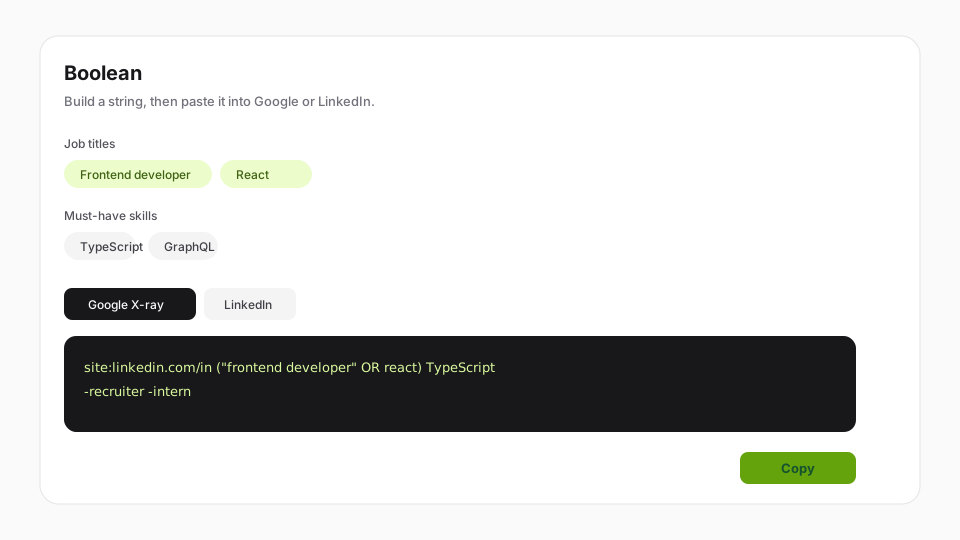
Fill the chips
Use Job titles, Must-have skills, Nice-to-have skills, Locations, and Exclude. You do not need to memorize operators. Exclude is prefilled with common noise (for example recruiter or intern) — edit it.
Choose Google X-ray or LinkedIn
- Google X-ray — paste into Google. Then triage results with the extension.
- LinkedIn — paste into LinkedIn search. Very long strings may hit LinkedIn’s length limit; shorten titles or skills if you see the warning.
Copy the string
Copy, then run it in Google or LinkedIn.
Save it if you want it later
| Where you are | What Save does |
|---|---|
Public /boolean, signed out | Save in this browser — stays on this device |
Public /boolean, want the team to see it | Save to workspace — sign in, then it lands in history |
| App Boolean → Generator | Save writes to workspace History (Mine / Team) |
Only you can edit or delete searches you saved. Teammates can view Team history and copy strings.
What happens next
Paste an X-ray string into Google and use the extension on results. History stays writable even if the workspace is later read-only.
Related guides
Was this helpful?